
Solar Smash review
 Analysis by GetAllApps
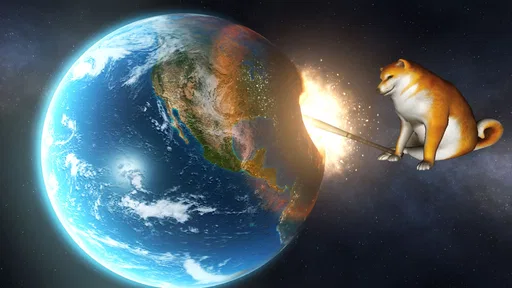
I like Solar Smash most when I treat it as a compact creative sandbox rather than a game with a long campaign to finish. You choose a planet, try different ways of wrecking it, and watch the result unfold. That simple loop makes it easy to pick up for a short break, but it also leaves room to test ideas and build a personal routine around the tools the game actually offers.
That distinction matters if you are deciding whether to install it. This is a simulation game from Paradyme Games, free to start, with optional in-app purchases priced from $1.99 to $14.99 per item. It is rated Everyone 10+, and its scale is hard to miss: it has more than 100 million installs and an average rating of 4.6 from around 1.7 million ratings. Those figures suggest broad appeal, but they do not change the main question: do you enjoy experimenting with destruction for its own sake?
Start with a simple, repeatable planet test
My recommended first session is deliberately unambitious. Pick a planet, try one attack, pause long enough to notice what changed, then reset or begin another attempt. If you fire off several effects in quick succession, the spectacle can be entertaining, but it becomes harder to tell which choice caused which result. A slower first pass gives the sandbox more texture and helps you learn how its visual feedback works.
After that, repeat the same basic test with a different approach. The useful habit is to change one thing at a time: keep the planet constant and vary your attack, or keep your approach steady and switch planets. This is not a formal challenge system; it is simply a better way to make your own experiments feel intentional. You will quickly learn which results you find satisfying, whether that means a dramatic visual collapse or a more gradual change.
There is no need to turn every session into a planned experiment. Some days I would rather make a quick mess and enjoy the animation. But when a result surprises me, repeating the setup gives me a clearer sense of what happened. That small difference separates random tapping from the kind of casual play that can remain interesting after the first few minutes.
The game works especially well in short gaps: while waiting for a friend, taking a break between tasks, or winding down before bed. It does not ask you to remember a story or return at a particular time. The trade-off is that a brief, satisfying session may be all you get. If you need missions, character development, or a long-term objective to keep you engaged, the open-ended format may feel thin.
Check the controls and visual options before settling in
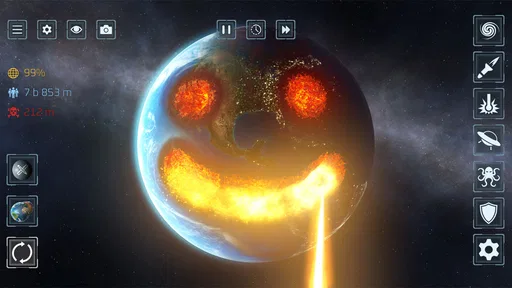
Before you get comfortable with a particular way of playing, spend a moment looking through the available settings and controls. I would not assume that every device or player will feel best with the same setup. A touchscreen can make aiming and selecting feel direct, while a smaller display can make fine visual details less comfortable to track. Checking what can be adjusted early is more useful than trying to compensate for an awkward setup throughout a session.
It also helps to distinguish between settings that affect comfort and choices that affect the experiment itself. If the screen feels too busy or the controls are not responding as you expect, address that first. Then return to the same planet and test again. Otherwise, you may mistake an interface or visibility issue for a difference in the game’s result.
I would keep visual effects in mind as part of the experience, not just decoration. The appeal is largely in seeing a planet change, so a setting that makes the display easier to read can improve the whole session. On the other hand, if you enjoy the full spectacle, reducing visual intensity may take away some of the payoff. There is no universal best choice; use the option that lets you follow what is happening without making play uncomfortable.
One practical habit is to make a quick mental note of your starting conditions before experimenting. Remember the planet you selected and the first tool or attack you used. You do not need a written log, but keeping those details straight makes comparisons more useful. If you switch several things at once, it is harder to reproduce a result later, and the sandbox offers less of a learning loop.
Build speed through small habits, not frantic tapping
Once the basic controls feel familiar, speed comes from reducing unnecessary decisions. Decide what you want to test before starting: a particular tool, a particular planet, or simply a quick visual spectacle. Then make that the focus of the run. This keeps the session from becoming a sequence of unrelated taps and makes it easier to stop when you have seen what you wanted.
A useful pattern is to alternate between a focused run and a free-play run. In the focused one, change only one element and watch the outcome. In the free-play one, combine choices freely and enjoy the chaos without trying to draw conclusions. Keeping those modes separate is a small but effective way to avoid expecting every playful experiment to produce a clear comparison.
If you find a sequence you enjoy, repeat it before changing anything. Repeating the same approach is not wasted time: it tells you whether the first result was the part you liked or whether it was simply the novelty of doing something new. Then change one choice and compare. This habit is more reliable than trying to remember a dozen different outcomes from a rapid session.
Short sessions also make a good case for stopping deliberately. After a few experiments, take a moment to decide whether you still have a question to answer or whether you are just repeating the same action. If it is the latter, put the game down and return later. The sandbox is at its strongest when curiosity is driving the next attempt; without that, the loop can become repetitive quickly.
For a casual shared moment, I would hand the device to someone else after setting up a planet and asking them to choose what to try. That turns the open-ended format into a simple back-and-forth without needing a competitive mode or a complicated explanation. It is particularly suited to friends or family members who enjoy visual cause and effect, though anyone sensitive to destructive imagery may prefer a gentler game.
Where the sandbox’s freedom reaches its limits
The same open structure that makes the game easy to approach can also be its main limitation. There is no reason to expect a guided campaign from a planet-destruction sandbox, and players who want a steady stream of objectives may find that they have to supply their own goals. Repeating experiments can help, but it will not turn the experience into a mission-based simulation.
It is also not a substitute for a detailed astronomy or physics tool. The presentation invites you to play with planets, but I would approach it as entertainment rather than a classroom model. If you want reliable scientific simulation, careful explanations, or an educational sequence, a dedicated learning app is the better choice. Here, the priority is visual experimentation, not instruction.
Compared with the usual alternatives in the simulation category, this one is unusually focused on immediate visual cause and effect. A city-building or management game asks you to plan, maintain systems, and watch a world develop; a physics sandbox may emphasize construction and problem-solving. Solar Smash instead puts destruction at the center. That focus makes it quick to understand, but it also means it offers less variety for players who want to build, manage, or nurture something over time.
There is a further trade-off in the way spectacle can crowd out observation. If you use several attacks one after another, the result may look impressive while telling you little about each individual choice. When you want to understand a specific effect, slow down and isolate it. When you just want a dramatic burst of activity, combine options and accept that you are playing for the show rather than for comparison.
Because the game is free to download and includes optional purchases, I would approach the paid items as an individual choice rather than an assumed requirement. Start with the free experience and see whether the central loop holds your attention before spending anything. If you only enjoy a few short sessions, there is little reason to buy more. If you keep returning to experiment, you can decide for yourself whether an optional purchase adds something you genuinely want.
Who will enjoy it, and who should look elsewhere
I would recommend it to people who like short, tactile experiments and do not need a plot to make a game worthwhile. It is a good fit for someone who enjoys testing one change at a time, watching the visual result, and then trying another approach. The Everyone 10+ content rating also gives families a useful starting point when considering suitability, though each household should make its own call about the game’s destructive theme.
I would be more cautious about recommending it to anyone who expects strategic depth, detailed scientific accuracy, or a strong sense of progression. It can be a fun diversion, but it is not trying to solve those needs. Players who want a long-running goal would likely be happier with a management simulation; players who want to learn about space should choose an educational resource instead.
It also may not be the right pick if visual destruction is uncomfortable for you. The entire premise revolves around changing and damaging planets, so there is no way to avoid that theme while still engaging with the core experience. The same goes for anyone who dislikes repetition: a player-made experiment can add purpose, but the basic loop remains centered on trying different destructive actions and observing the outcome.
A good fit for curiosity, not a substitute for a campaign
In my experience, the best way to get more from Solar Smash is to keep each session simple: choose a planet, test one approach, observe, and decide whether to repeat or change a single element. Check the settings for comfort, separate deliberate comparisons from free-form play, and do not feel obliged to turn every visit into a long session. Those habits make the sandbox feel more thoughtful without pretending it has a hidden progression system.
The game was released on January 19, 2020, and its current version is 2.7.5. It supports devices running Android 7.0 or later. That makes it worth checking against your device before downloading, particularly if you are using older hardware. Its large audience and strong average rating are reassuring signs of popularity, but the deciding factor remains whether you enjoy the central loop.
For me, Solar Smash is a worthwhile free simulation when I want an immediate visual toy rather than a commitment. I would recommend trying it if you are curious about playful, repeatable destruction and are happy to set your own mini-goals. If you need a story, careful science, building, or a clear sequence of tasks, choose a different kind of game. Knowing that distinction before you install is the best way to enjoy what this one does well.
Pros and cons
Pros
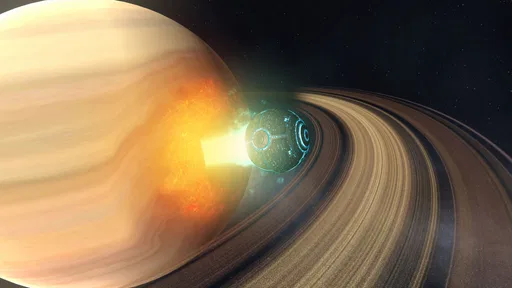
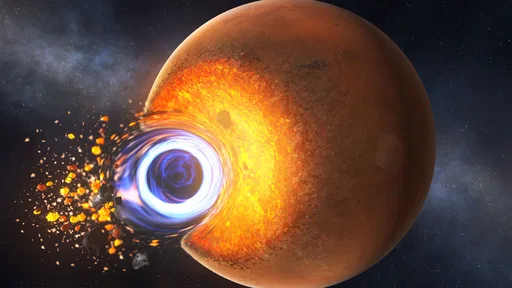
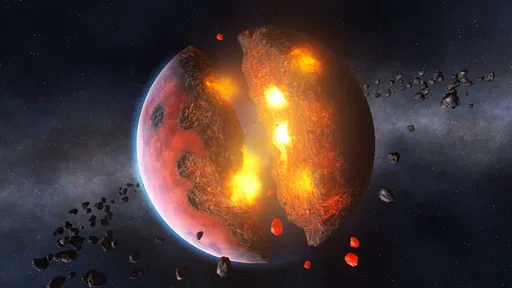
- Detailed planet models make destruction effects satisfying to watch.
- Multiple weapons encourage experimentation with different attack styles.
- Free play lets you test ideas without strict objectives.
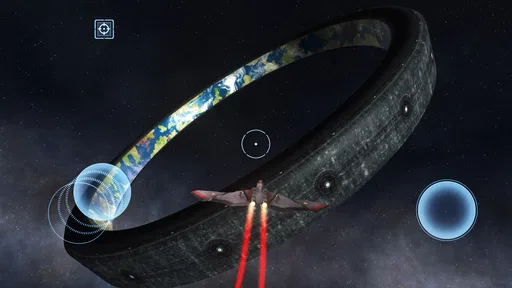
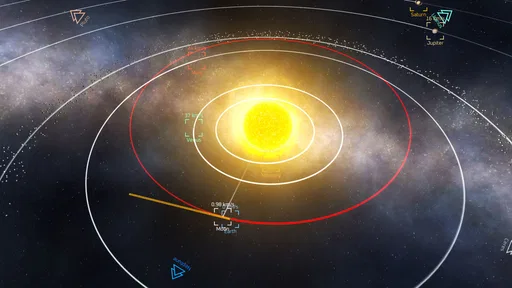
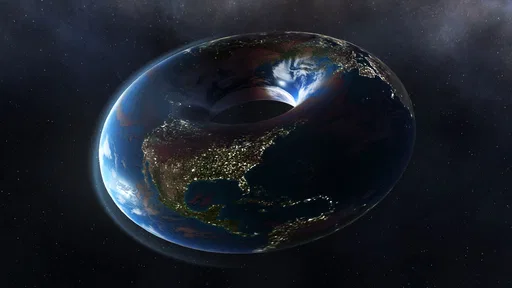
- Planet customization adds variety beyond the standard solar system.
- Controls are simple to learn on a touchscreen.
Cons
- Frequent ads may interrupt play between sessions.
- Some weapons and features require watching ads to unlock.
- The destructive gameplay can feel repetitive over time.
- Detailed effects may cause slowdown on older devices.
- There is little progression or long-term challenge.


